Friday, February 13, 2009
The application of pre-paid cash card for consumers
Credit card debts: Causes and Prevention

There are many reasons why people end up with more debt than they can possibly handle on their own. One of the main causes of personal debt is misuse of credit cards.
1) Don’t have credit card education.
Many people get their first credit card as soon as they are allowed to, when they are 18 or sometimes even younger. Many young people see credit cards as "free money" and buy up everything that they want without showing any concern of how they are actually going to pay for it.
2) Emergence of online shopping
With the economy making for a leaner wallet this year, consumers will still likely continue to overspend while surfing the Internet. The reason attribute to overspending on online shopping due to it become more user friendly and convenient to the user. Whenever the users have possessed a credit card, they can just buy the things through online.
3) Encouragement of credit card companies
Even the credit cards have encouraged you to spend money with no worries wherever you go, but the credit card companies have always sent the advertising to assaults you. Card companies often send their consumers all sorts of flyers and deals in the mail that give those individuals rewards and privileges that depend on spending more. It is often these things that hamper their ability to save their money.
4) Lifestyle maintenance
College tuition, cars and mortgages, luxuries house etc are the big expense along the way. Many people focus on one area of finances, neglecting the other so badly that there's not enough money to go around once these life events arise. Therefore, people may then rely on credit to get by.
PREVENTION:
1) Keep a running tally in writing of your weekly or monthly spending versus you budget, and update it before each purchase.
2) Use an online bank account to keep score of your spending. Keep your credit card receipts when you make purchases. At the end of each day or couple of days, use an online bank account to pay the credit card company for the amount you spent. Seeing your balance fall in line with your credit card spending should help you to keep to a budget, and eliminate risk that you overspend during the month.
3) Limit your credit card use to certain categories of spending. Use your credit card to pay only when there's no risk you will overspend. So use it for regular bills, groceries, and expenses where you trust yourself. For areas where you suspect you overspend or spend on impulse, use cash.
"Spending less than you make is what's important."
Wednesday, February 11, 2009
Electronic Currency

Banks have been able to move currency electronically for decades, only recently that the average consumer had the capability to use electronic transfers in any meaningful way. With the advancement in technology and more computer savvy individuals, global interaction is made available at vastly reduced costs. The Internet and E-commerce have become an increasingly commercial area, where daily payments are rendered for goods, information, services and investment. As a result, electronic payments are becoming the central part to online business between customer and seller.
Electronic money refers to digital currency that you can use on the Internet to buy and sell goods, services and investments by transmitting a number from one computer to another, where it typically involves use of computer networks, the Internet and digital stored value system. These transactions are carried out electronically, transferring funds from one party to another, by either a debit or credit. These funds are instantly cleared and secured by using strong encryption, thus eliminating the payment risk to the consumer.
One major type of Electronic money is the Integrated Circuit Card (ICC). ICC could be broken down further into 2 types - Contact ICC and Contactless ICC.
Contact ICC

Contact smart cards have a contact area, comprising several gold-plated contact pads, that is about 1 cm square. When inserted into a reader, the chip makes contact with electrical connectors that can read information from the chip and write information back. The cards do not contain batteries; energy is supplied by the card reader.
Examples of Contact ICC's:
- Credit cards
- Malaysian MyKad
- ATM cards
Contactless ICC

The chip communicates with the card reader through Radio Frequency Identification (RFID) induction technology (at data rates of 106 to 848 kbit/s). These cards require only close proximity to an antenna to complete transaction. They are often used when transactions must be processed quickly or hands-free, such as on mass transit systems, where smart cards can be used without even removing them from a wallet.
Examples of Contactless ICC's:
- Hong Kong's Octopus Card
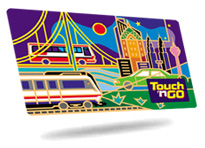
- Malaysia's Touch n Go Card
- San Diego's Compass Card

Advantages of E-Currency
Flexibility
There is no need, for example, to carry several cards: one card can simultaneously be an ID, a credit card, a stored-value cash card, and a repository of personal information such as telephone numbers or medical history. Such a card can be easily replaced if lost, and, because a PIN number (or other form of security) must be used to access information, is totally useless to people other than its legal bearer. At the first attempt to use it illegally, the card would be deactivated by the card reader itself.
Security
They are encryption devices, so that the user can encrypt and decrypt information without relying on unknown, and therefore potentially untrustworthy, appliances such as ATMs. ICC's are very flexible in providing authentication at different level of the bearer and the counterpart. Finally, with the information about the user that ICC's can provide to the other parties, they are useful devices for customizing products and services.
Other general benefits of sICC's are:
- Portability
- Increasing data storage capacity
- Reliability that is virtually unaffected by electrical and magnetic fields.
Limitations of ICC's
Security
VISA and MasterCard developed a new standard, SET, in early 1996 in an attempt to get the entire industry on a standard of encryption. Additionally, there are standards such as DES which have been around for years, usable in all forms of encryption which are being used in ICC's. But still some ICC's are not inviolate. Mondex, a maker of banking ICC's, solves this problem by making its transactions possible only between Mondex cards. But in order for ICC's to reach their full potential, they must be able to interact with a host of interfaces. And they must do so securely.
Public Perception
People must believe that the cards are secure. This depends to a great extent upon actual security, but people must also be convinced of it. And once people are comfortable that the card is secure, they must still be confident that a stalker isn't somewhere collecting and analyzing all of the information gleaned from the ICC's use.
Product Complements
While ICC's themselves are fairly cheap, card readers are not. However, in an effort to make ICC's more pervasive, companies such as Netscape and Microsoft are proposing putting software in packages they make. Additionally, Gemplus has created a new pocket reader and other companies are considering adding readers to keyboards.
Friday, February 6, 2009
Phishing: Examples and its prevention methods.

Phishing is a scam in which the attacker sends an email purporting to be from a valid financial or eCommerce provider, which generally looks and feels much like the valid eCommerce or banking site.
Often phishing spam messages will use legitimate 'From:' email addresses, logos, and links to reputable businesses such as Citibank, PayPal, eBay in the message. But the message instructs you to click on a web link that sends you to a fake website where you are asked to provide personal information such as your name, address, phone number, date of birth, and bank or credit card account number. Providing this kind of information can leave consumers at risk for identity theft.
We may see the phishing scam in the e-mail messages, social networking website, fake website that accepts donations for charity, instant message program and even on your cell phone or other mobile devices.
Fake, copycat Web sites are also called spoofed Web sites. They are designed to look like the legitimate site, sometimes using graphics or fonts from the legitimate site. They might even have a Web address that's very similar to the legitimate site you are used to visiting.
These are few examples of phishing scams:
This PayPal phishing scams tries to trick recipients by pretending to be some sort of security alert. Claiming that someone 'from a foreign IP address' attempted to login to your PayPal account, the email urges recipients to confirm their account details via the link provided.
The attacker claims to be acting in the interests of safety and integrity for the online banking community. Of course, in order to do so, you are instructed to visit a fake website and enter critical financial details that the attacker will then use to disrupt the very safety and integrity they claim to be protecting.
This eBay phishing email includes the eBay logo in an attempt to gain credibility. The email warns that a billing error may have been made on the account and urges the eBay member to login and verify the charges.Prevention Methods
It is easy to uncover a crude phishing scam. For example, if you get an email from a bank you’ve never opened an account at, then don’t follow the link and enter your personal information. Now, if you actually have an account at the institution it gets more interesting.
Besides that, user must avoid filling out forms in e-mail messages. You can't know with certainty where the data will be sent and the information can make several stops on the way to the recipient.
If you click on a link in an e-mail message from a company be aware that many scam artists are making forgeries of company's sites that look like the real thing. Verify the legitimacy of a web address with the company directly before submitting your personal information.
Here are some common phrases where e-mail message or phone message may be a phishing scam:
"Verify your account."
Businesses should not ask you to send passwords, login names, Social Security numbers, or other personal information through e-mail.
"You have won the lottery."
The lottery scam is a common phishing scam known as advance fee fraud. One of the most common forms of advanced fee fraud is a message that claims that you have won a large sum of money, or that a person will pay you a large sum of money for little or no work on your part. The lottery scam often includes references to big companies, such as Microsoft.
"If you don't respond within 48 hours, your account will be closed."
These messages convey a sense of urgency so that you'll respond immediately without thinking. A phishing e-mail message might even claim that your response is required because your account might have been compromised.
The best way to avoid becoming a phishing scam victim is to use your best own adjustment. No financial institution with any sense will email you and ask you to provide all of your sensitive information. In fact, most institution are informing customers that “ we will never ask you for your personal information via phone or email.
Thursday, February 5, 2009
The Application of 3rd Party Certification Program in Malaysia

Third party certification is an assessment carried out to ensure compliance with a publicly available technical specification. Importantly, the assessment is carried out by an independent, third party organization that is qualified and licensed to issue certification when the assessment is successfully completed.
This means that rather than an organization or company claiming to comply with industry standards, they have taken their commitment to quality further and invited in an external third party to verify that their product or service does indeed comply with the industry standards.
The most popular application of 3rd party certification in Malaysia is provided by the MSC Trustgate.com Sdn. Bhd. MSC Trustgate.com Sdn Bhd is a licensed Certification Authority (CA) operating within the Multimedia Super Corridor. MSC Trustgate was incorporated in 1999 to meet the growing need for secure open network communications and become the catalyst for the growth of e-commerce, both locally and across the ASEAN region.
Trustgate is licensed under the Digital Signature Act 1997 (DSA), a Malaysia law that sets a global precedent for the mandate of a CA. As a CA, Trustgate’s core business is to provide digital certification services, including digital certificates, cryptographic products, and software development. It provides security solutions for individuals, enterprises, government, and e-commerce service providers using digital certificates, digital signatures, encryption and decryption as this is the primary concern of entering into the new Internet economy.
Among the products and services that they provide are Secure Sockets Layer (SSL) Certificate Authority, Managed PKI, Personal ID, MyTRUST, MyKad ID and etc. In addition, MSC Trustgate has been appointed as Asia's first VeriSign Authorised Training Centre. Under this partnership, MSC Trustgate.com and APIIT (Asia Pacific Institute of Information Technology) jointly facilitate the delivery of VeriSign’s high-end Security and E-Commerce programmes. VeriSign is the leading Secure Sockets Layer (SSL) Certificate Authority which also enabling the security of e-commerce, communications, and interactions for Web sites, intranets, and extranets. It provides security solutions to protect an organization’s consumers, brand, Web site, and network.
The Diagram below shows how Verisign tackle spamming and it's solutions:
Therefore, it is important to apply 3rd certification programme as it provides a safe and secure Internet protection. More e-consumer can now shop and purchase online care-free while their personal information or confidentiality is protected
The threat of online security: How safe is our data?

Do you truly believe that your data is safe? You might think so. Unfortunately, there are threats online that keep knocking on your door until you let them in - intentionally or not. Once they are in your computer system, they will cause havoc and may result in you losing all your data.
Therefore, online security has become an enormous concern when surfing the net. And with good reason. These threats to online security may cripple your computer system and halt business activities which means losing precious data and time. Besides that, these threats evolve over time and always find a way to better the security softwares we have installed in our computer systems. Therefore, there is always a need to update security softwares to keep our data safe from these threats.
The following are some of the threats to online security:
Malware

A MALicious softWARE or malware constitutes any software written for malicious reasons that infiltrates a computer without authorization and performs some nefarious function. Malware can come in many varieties and perform a myriad of functions. it is this carefully engineered software that performs attacks on an automated level among millions of compromised machines around the world, that makes it the centerpoint of the modern cybercrime landscape. Malware includes computer viruses, worms, trojan horses, most rootkits, spyware, and other malicious and unwanted software.
Botnets

A roBOT NETwork or botnet is a huge number of hijacked Internet computers that have been set up to forward traffic, includig spam and viruses, to other computers on the Internet. The computer is compromised via a Trojan that often works by opening an Internet Relay Chat (IRC) channel that waits for commands from the person in control of the botnet. The very nature of botnets gives criminals plenty of power on the internet at large. With control over so many compromised systems, herders can now engage in quite more damaging activities than the internet has seen before.
Virus

Computer viruses are small software programs that are designed to spread from one computer to another and to interfere with computer operation. A virus might corrupt or delete data on your computer, use your e-mail program to spread itself to other computers, or even erase everything on your hard disk.
Viruses are most easily spread by attachments in e-mail messages or instant messaging messages. That is why it is essential that you never open e-mail attachments unless you know who it's from and you are expecting it. Viruses can be disguised as attachments of funny images, greeting cards, or audio and video files. Viruses also spread through downloads on the Internet. They can be hidden in illicit software or other files or programs you might download.
Amount of viruses detected by various anti-virus software last year:| vendor | detected | total | percent |
| AntiVir | 26,457,598 | 28,024,135 | 94.41% |
| Avast-Commercial | 12,425,965 | 13,437,873 | 92.47% |
| Norman | 25,264,055 | 27,467,379 | 91.98% |
| F-Prot6 | 17,295,119 | 19,004,580 | 91.01% |
| Sophos | 3,345,699 | 3,691,679 | 90.63% |
| NOD32 | 25,329,840 | 28,024,135 | 90.39% |
| AVG7 | 25,262,433 | 28,024,135 | 90.15% |
| F-Secure | 25,148,742 | 28,024,135 | 89.74% |
| Ikarus | 9,275,581 | 10,476,608 | 88.54% |
| TrendMicro | 11,703,755 | 13,437,873 | 87.10% |
| QuickHeal | 10,190,639 | 11,846,198 | 86.02% |
| DrWeb | 23,856,884 | 28,009,899 | 85.17% |
| VirusBuster | 13,881,573 | 16,859,499 | 82.34% |
| Vexira | 13,877,493 | 16,859,499 | 82.31% |
| Clam | 12,232,194 | 15,305,470 | 79.92% |
| BitDefender | 22,070,962 | 28,024,135 | 78.76% |
| Kaspersky | 20,835,947 | 28,024,135 | 74.35% |
| McAfee | 12,332,904 | 16,744,538 | 73.65% |
| VBA32 | 18,326,900 | 26,958,740 | 67.98% |
| Panda | 7,661,487 | 12,300,516 | 62.29% |
| G-Data | 1,186,992 | 3,679,871 | 32.26% |
It is shocking to know that our computer system is exposed to these malicious threats. It is of the utmost importance to always have your anti-virus software updated because these threats can adapt to changes and evolve through time.
The following are some ways to keep these threat at bay:
- Always ensure that the Internet firewall is running. Firewalls are frequently used to prevent unauthorized Internet users from accessing private networks connected to the Internet, especially intranets. All messages entering or leaving the intranet pass through the firewall, which examines each message and blocks those that do not meet the specified security criteria.
- Subscribe to industry standard anti-virus software. In the case of a breach in security, these anti-virus software could trap the viruses and alert users of the breach and take the necessary steps to eliminate the viruses.
- Never open an e-mail attachment from someone you don't know.
- Avoid opening an e-mail attachment from someone you know, unless you know exactly what the attachment is. The sender may be unaware that it contains a virus.
how to safeguard our personal and financial data?
Therefore, necessary steps to protect the security of individuals' information has to be taken seriously. A few of these safeguards will be discussed below.
Firstly, and also most traditionally, is to create strong passwords and PIN numbers to protect data from being assessed by using a combination of alphabets and numerics.
Besides that, it is crucially important to not only install but constantly update antispyware and antivirus programs. Popular programs include Norton AntiVirus and AVG Antivirus.
Another safeguard would be to avoid assessing personal and financial information in public places such as cafes and restaurants. This can encourage hackers to hack into your confidential data and steal information from anywhere on the network.